Sell faster. Stock smarter.
Grow with confidence.
Nexora brings your till, stock, invoices and reports together — with true FIFO costing, your own branding, and a dashboard that tells you how your shop is really doing.
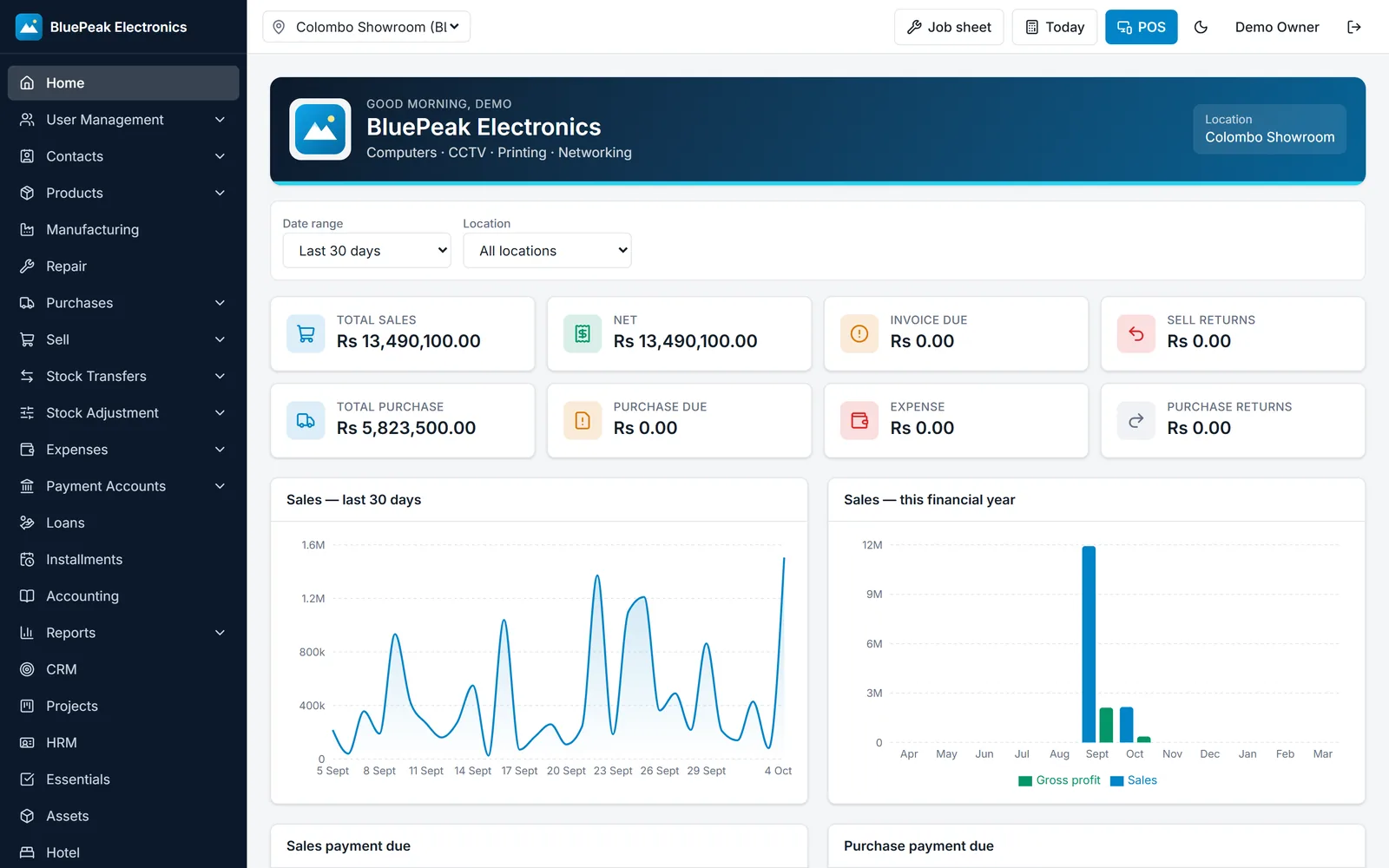
Everything your shop needs. Nothing it doesn’t.
One system for the counter, the stockroom and the back office.
Checkout in seconds
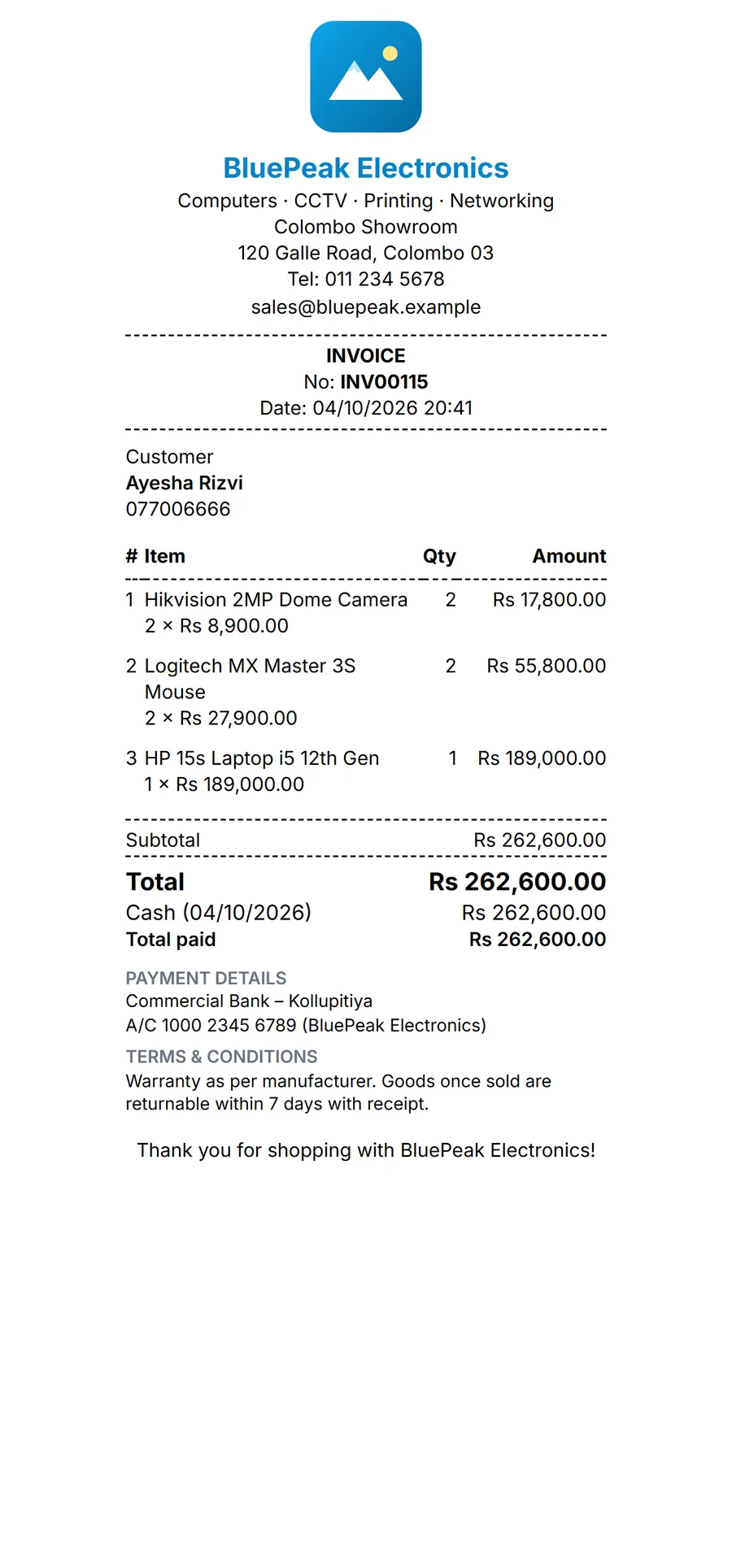
Scan, tap, done. Cash, card, split payments and credit sales — with an 80mm receipt or A4 invoice.
True FIFO stock
Every sale uses the oldest batch first, so your profit is real — not a guess.
Your brand everywhere
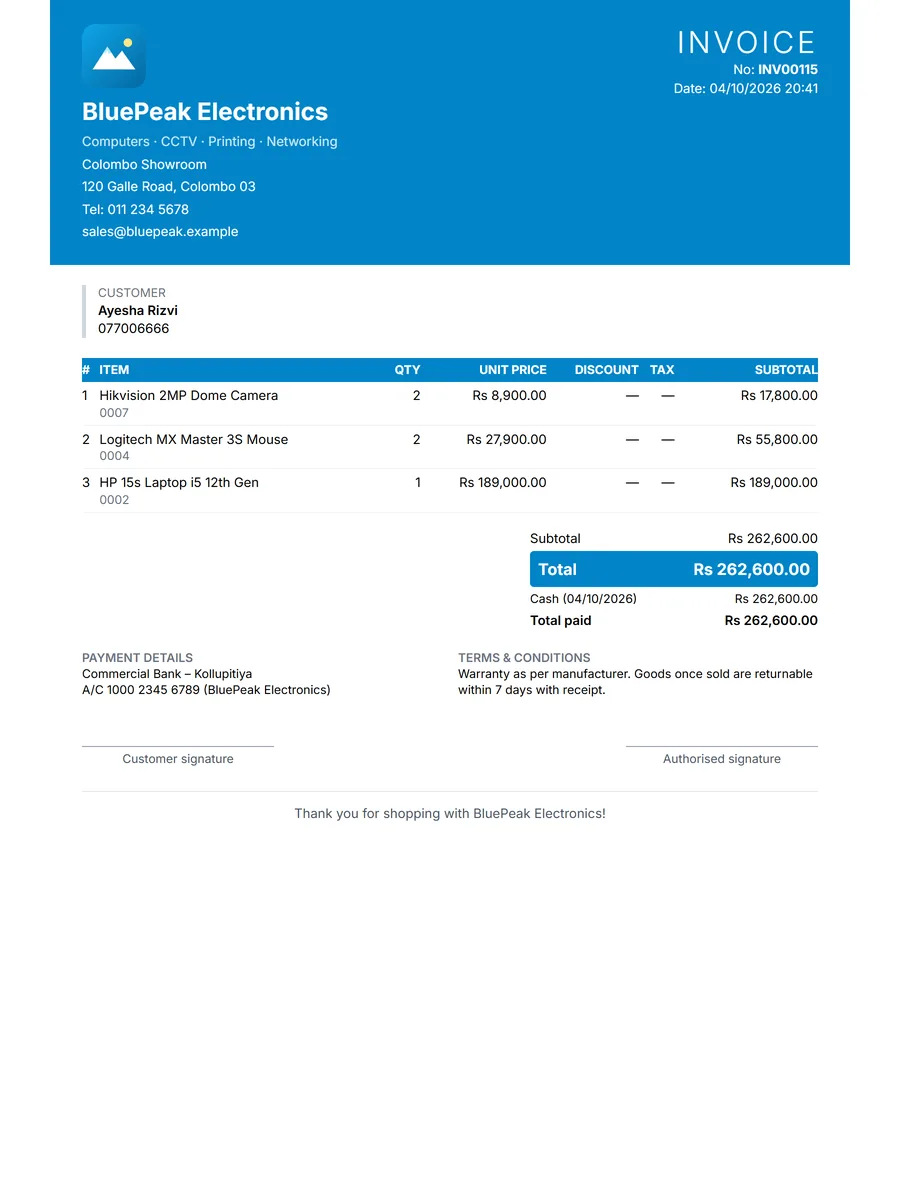
Logo, colours, 8 themes and 4 invoice designs. Preview, then publish.
Reports that answer questions
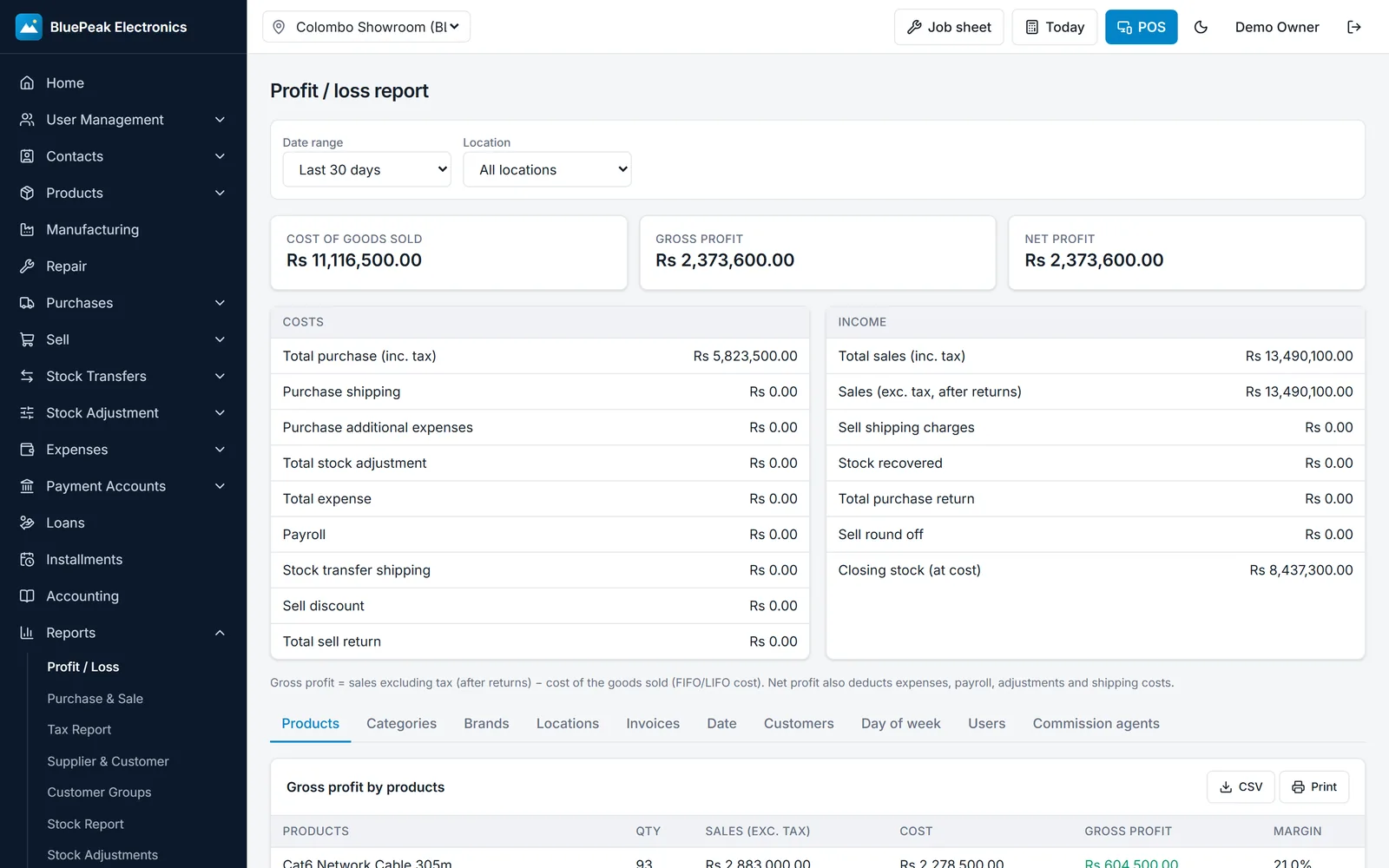
Profit & loss, stock value, tax, best sellers, customer dues — any date range, any branch.
Staff permissions
Owner, manager, cashier and staff roles — enforced on the server.
22+ modules
Repairs, accounting, CRM, HR, installments, manufacturing, hotel and more.
Any device
Runs in the browser on a PC, tablet or phone. Nothing to install.
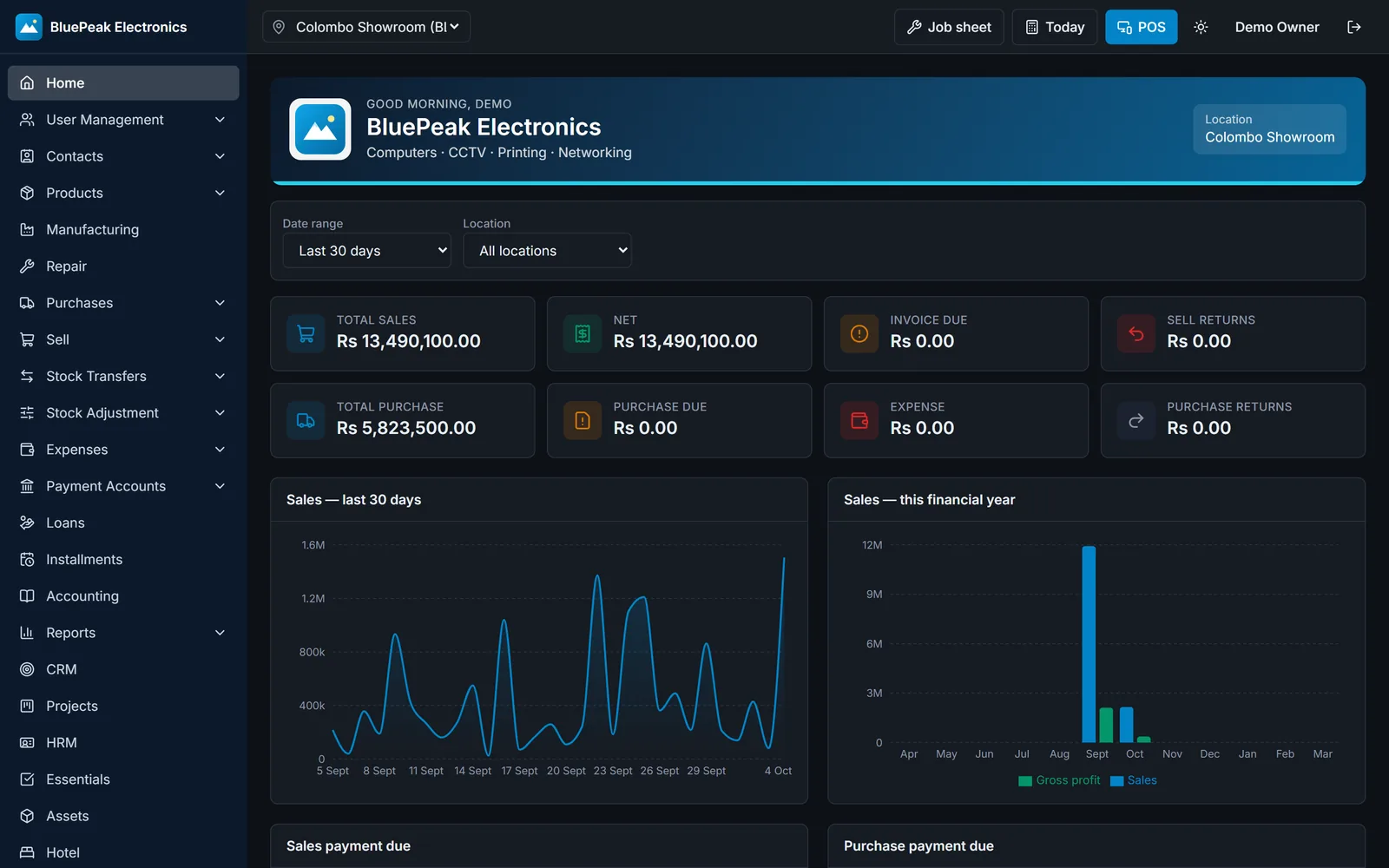
Light & dark
Every user picks their own look — easy on the eyes on late shifts.
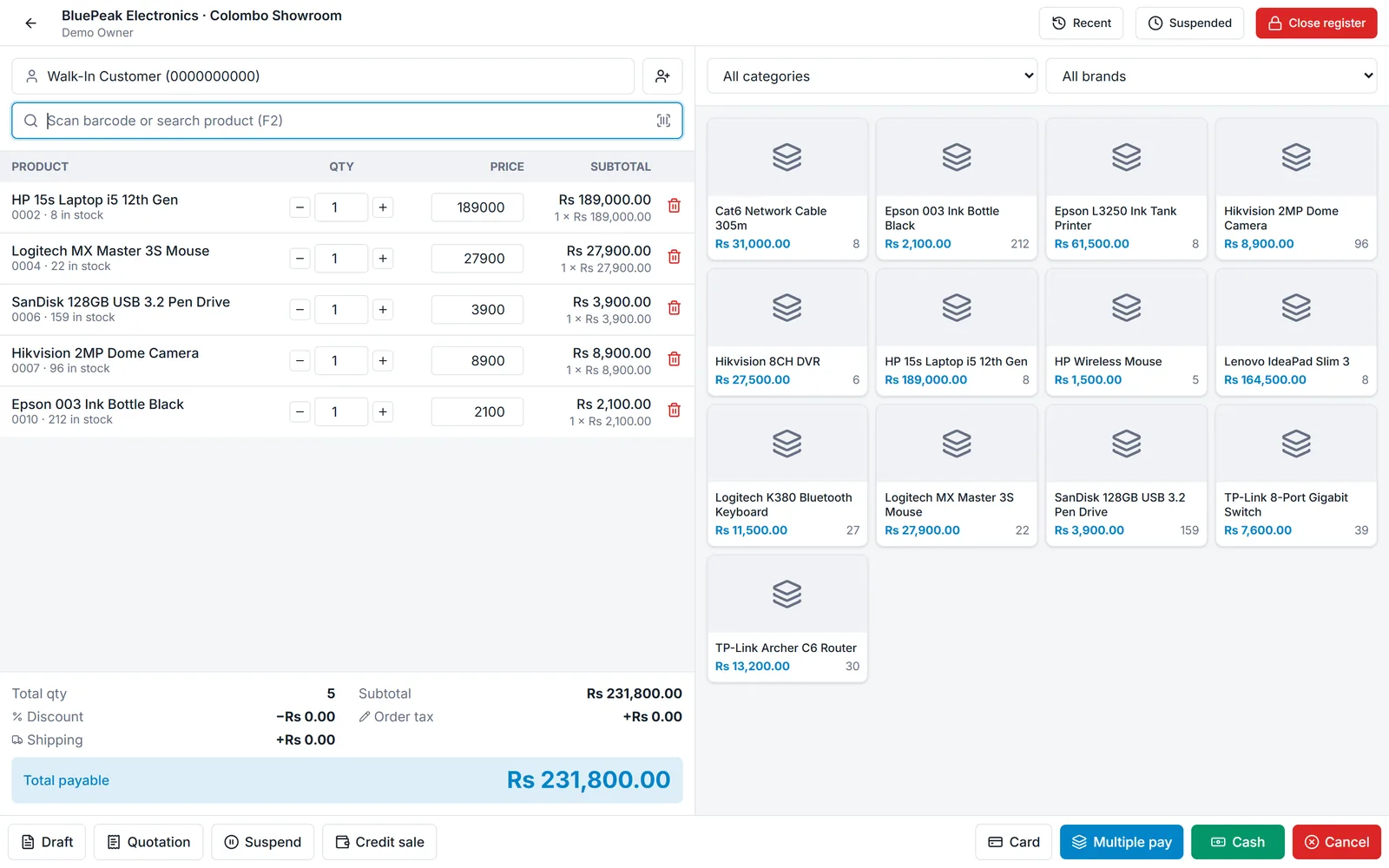
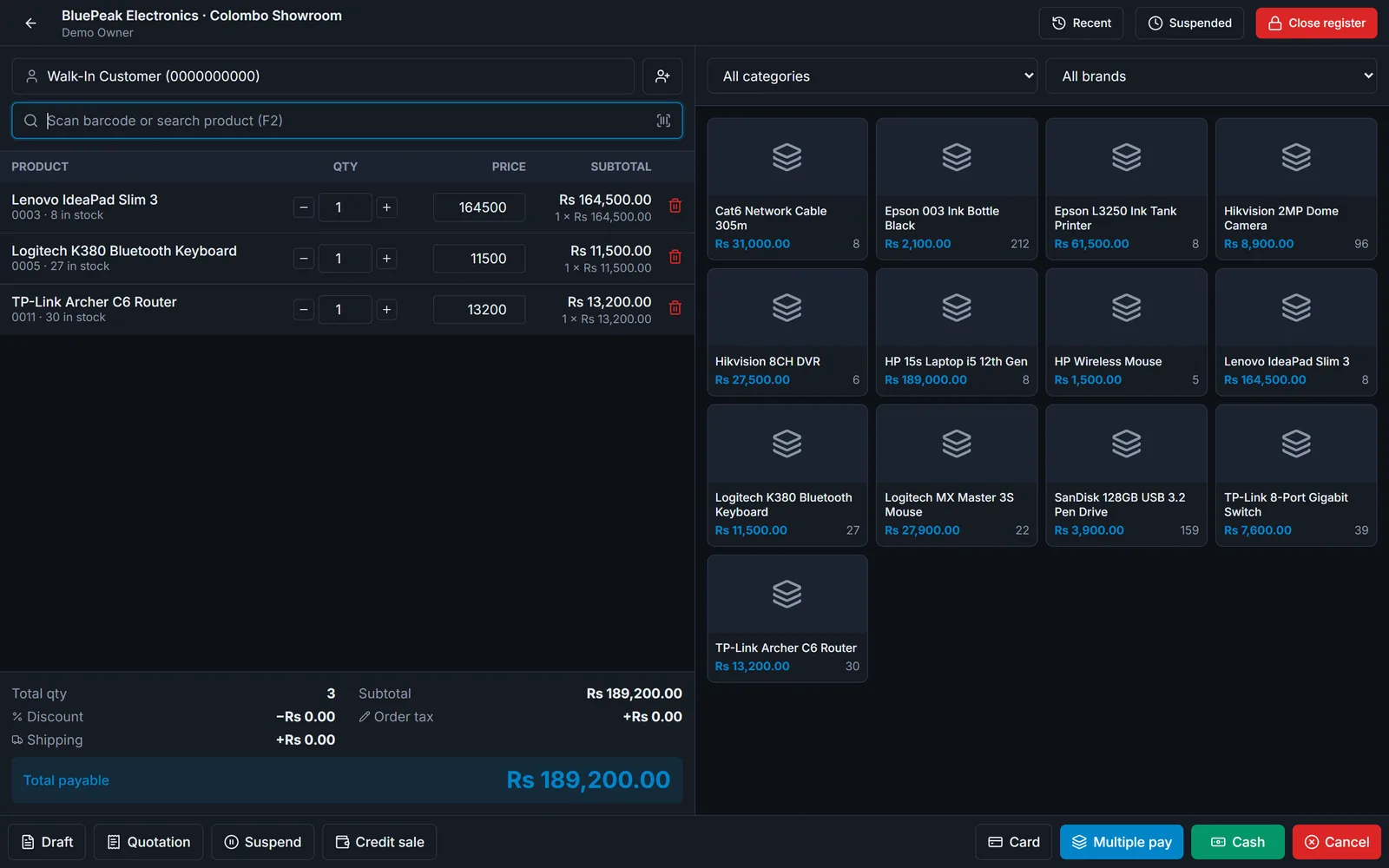
A till your cashiers will love
Big, tappable products with live stock. Each line shows its working, totals are always clear, and stock updates the moment a sale is saved.
- Cash, card, multiple payments and credit sales
- Drafts, quotations and suspended sales
- Barcode scanner ready
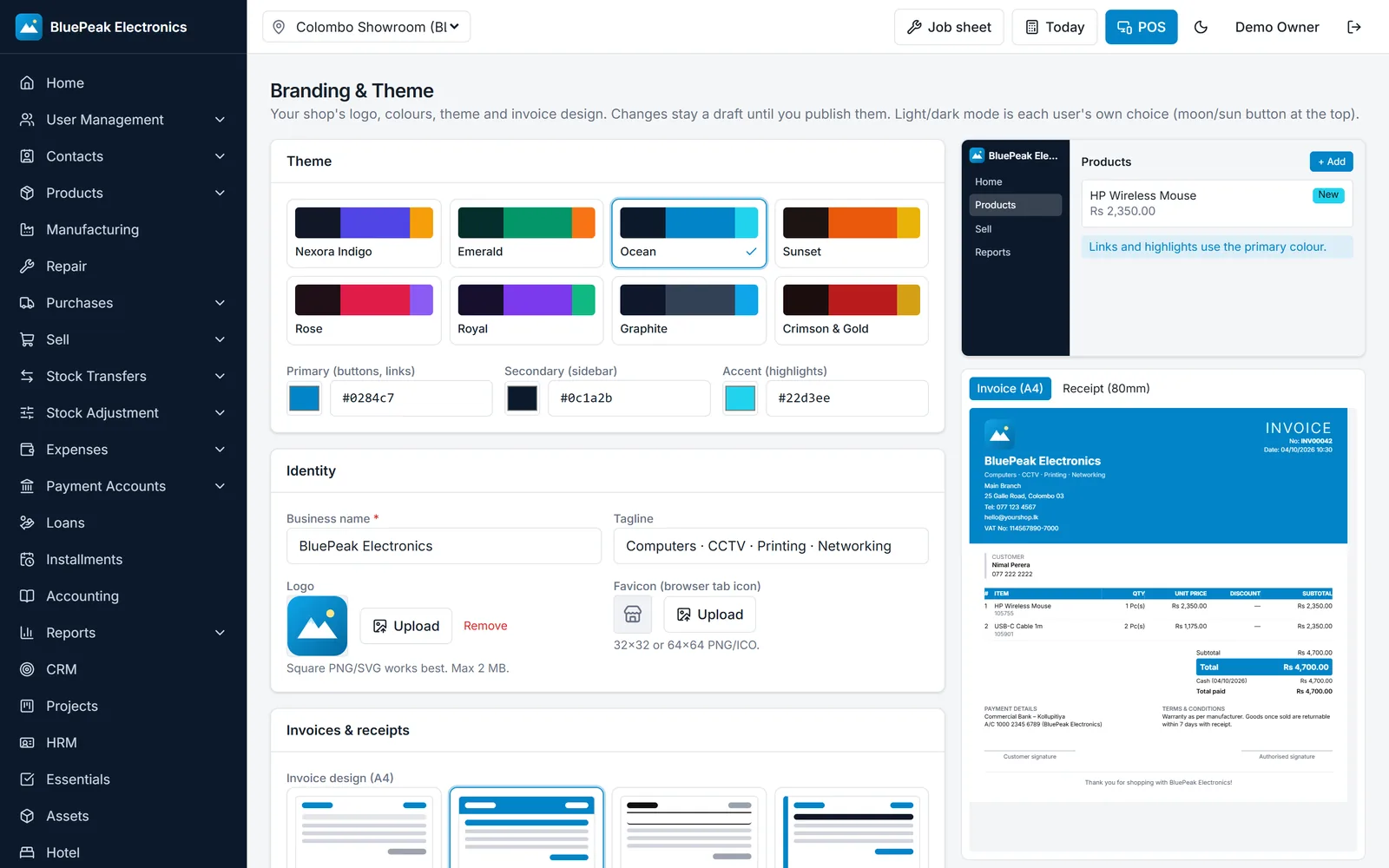
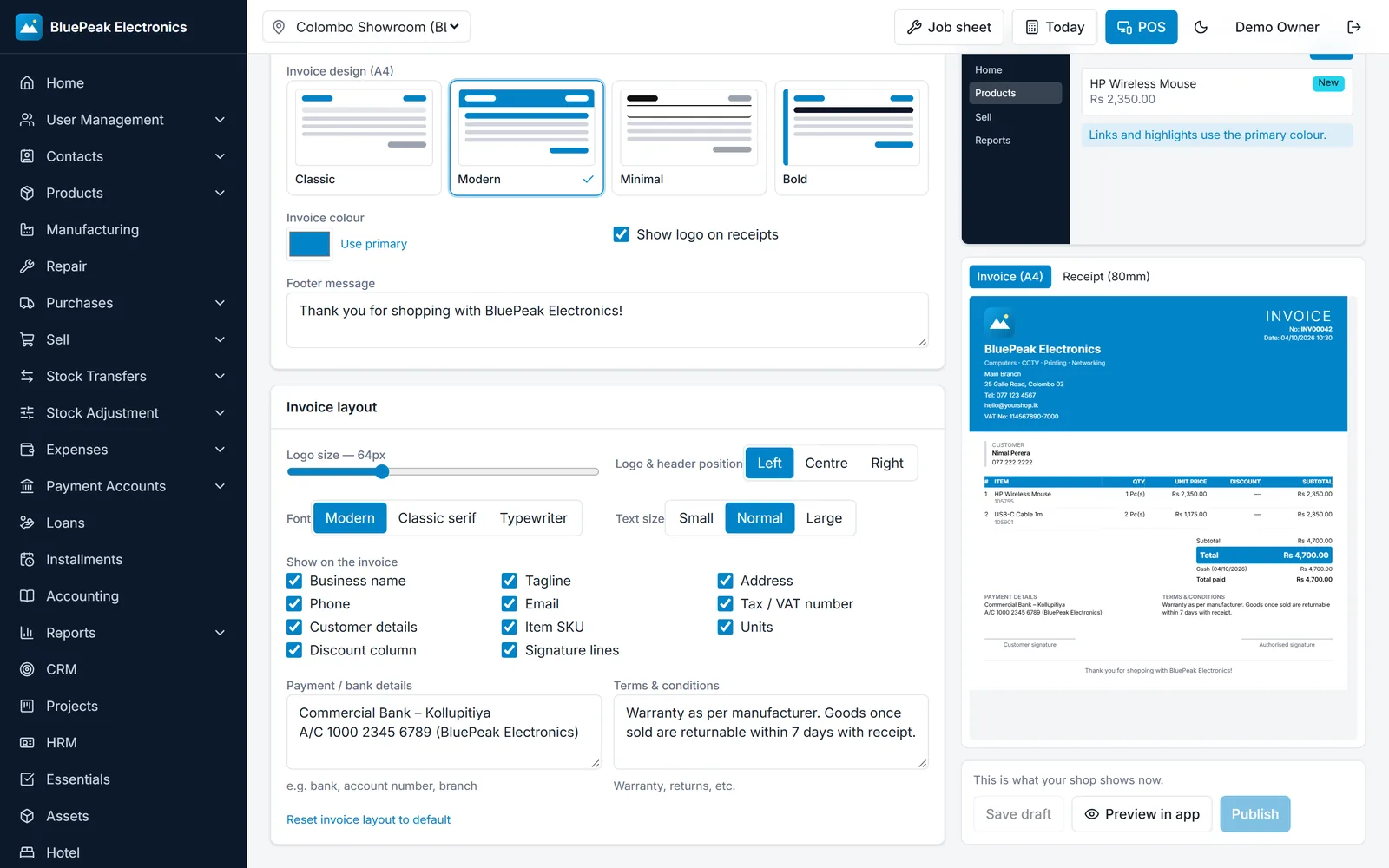
Make it unmistakably yours
Upload your logo, choose a theme or your own colours, and design your invoices — with a live preview of the real thing before anyone sees it.
- 8 themes plus custom colours
- Classic, Modern, Minimal and Bold invoices
- Logo size, bank details, terms and signatures
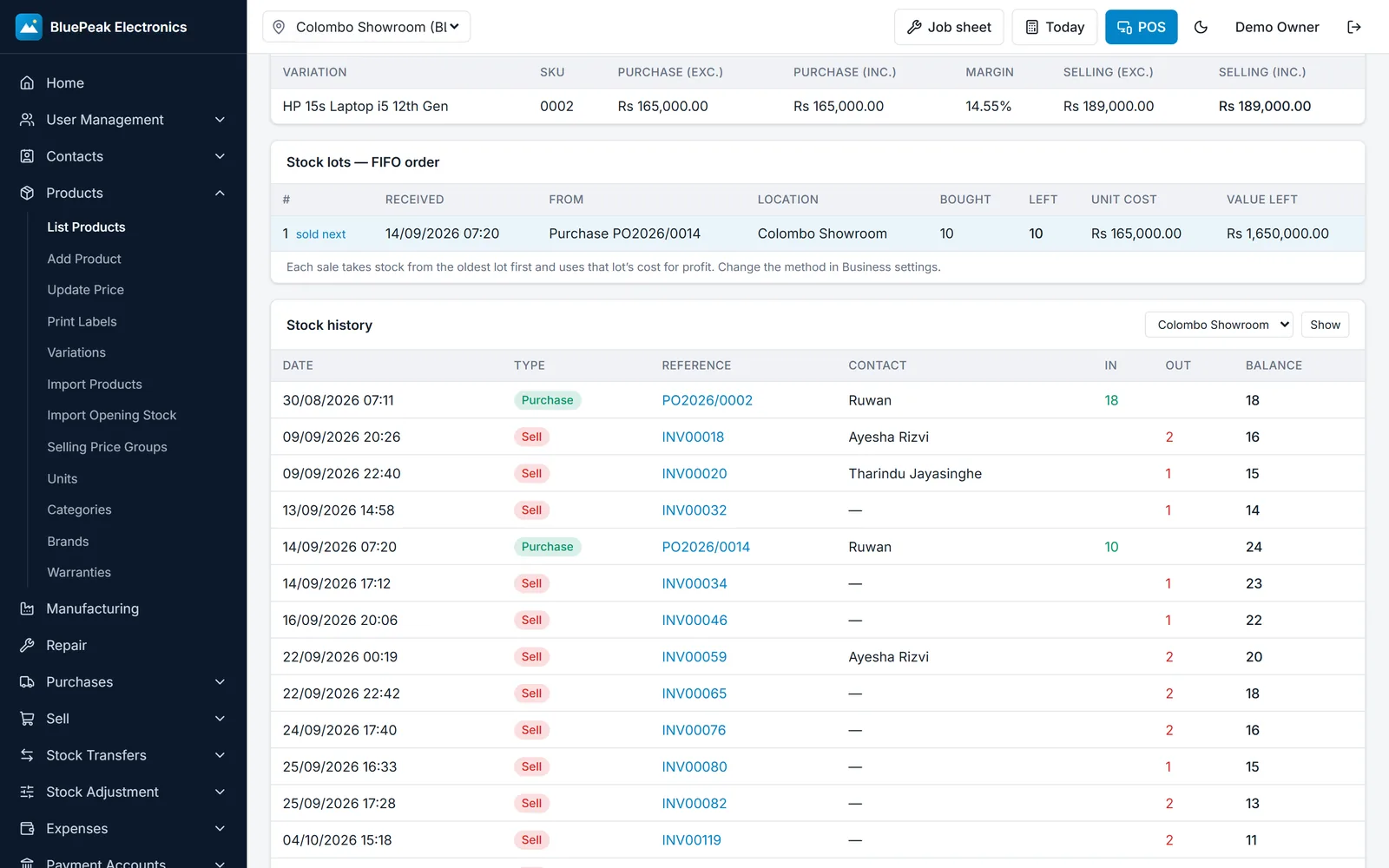
Know exactly what you have — and what it cost
FIFO costing takes stock from the oldest batch first and uses that batch’s cost, so the profit on every sale is accurate.
- See open batches and which is sold next
- Full stock history per product and branch
- Transfers, adjustments, stock counts and alerts
And there’s more to see
Click any screen to enlarge. Screenshots use a fictional demo shop.
Up and running in a day
Book a demo
Message us on WhatsApp. We’ll show you Nexora with products like yours.
We set up your shop
Your branches, products, staff accounts, logo and invoice design.
Start selling
Open Nexora on any device and make your first sale the same day.
Simple monthly plans
Upgrade any time as your shop grows.
Starter
One shop, POS, stock and reports
- Up to 1 location
- Up to 3 users
- Up to 1,000 products
- Billing, stock, invoices & reports
- Your own branding
Business
Up to 3 locations with all modules
- Up to 3 locations
- Up to 10 users
- Unlimited products
- Billing, stock, invoices & reports
- Your own branding
Enterprise
Unlimited locations, users and products
- Unlimited locations
- Unlimited users
- Unlimited products
- Billing, stock, invoices & reports
- Your own branding
Questions, answered
Do I need to install anything?
No. Nexora runs in a web browser on a computer, tablet or phone. You only need an internet connection.
Can I use my own logo and invoice design?
Yes. Each shop has its own logo, colours, theme and invoice design, and only your staff see your workspace.
How does the stock costing work?
Nexora uses FIFO — each sale takes stock from the oldest batch first and uses that batch’s cost, so profit figures are accurate.
Can I control what each staff member can do?
Yes. Give people roles like manager, cashier or staff, and choose exactly what each role can view, add, edit or delete.
What happens if a payment is late?
You get reminders before renewal and a grace period after. Your data is never deleted — access returns as soon as payment is confirmed.
Can I bring my existing products?
Yes. Products and opening stock can be imported from a spreadsheet.
See Nexora in your shop
Book a free demo. We’ll walk you through selling, stock and reports using products like yours — and help you get set up.
Already a customer? Sign in